Tip
Chat with a Document Using TypeScript, OpenAI, and Pinecone
Learn how to build a chatbot that uses a PDF document as a database, extracting text and answering questions using TypeScript, OpenAI, and Pinecone.
Lets dive into a high-level explainer on how you can use TypeScript to chat with a document. For this, we'll be employing two main tools: OpenAI and Pinecone.
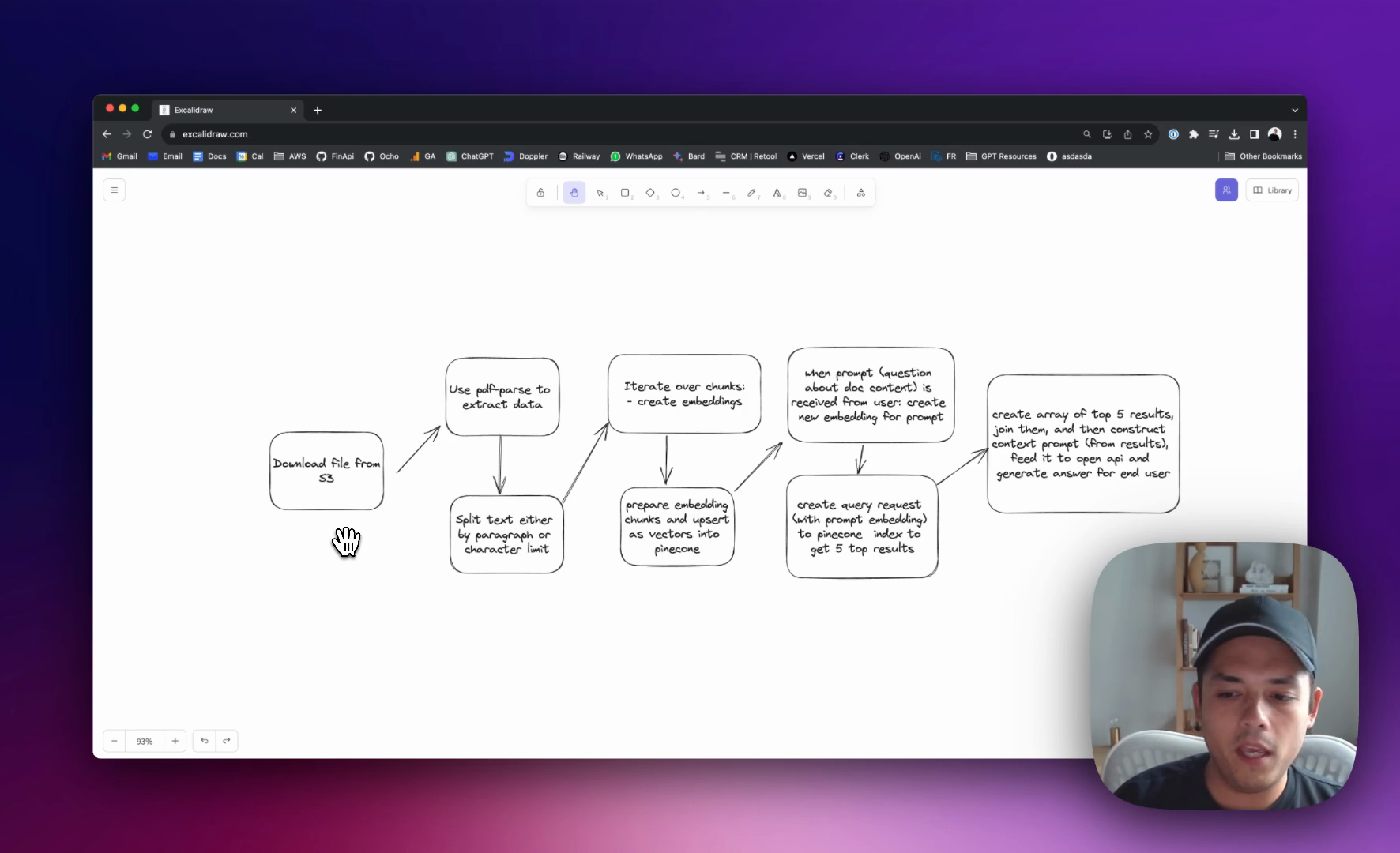
We'll have 4 main steps that I'm going to walk you through:
-
Document Setup: I've got a social media study in PDF format, about 75 pages, stored in S3.
-
Data Extraction: We download this document and use a library called
PDF parseto extract its data. This data is then split by paragraph or a set character limit. We also have logic to remove any chunk that's 10 words or less because, let's be real, there's not likely much meaningful information in such short snippets. -
Creating Embeddings: We then iterate over these chunks to create embeddings. I'll deep dive into what embeddings are in a more detailed video soon. These embeddings are prepared and upserted as vectors into Pinecone.
-
Interacting with the Document: When a user poses a question, we craft a new embedding from that prompt. This is used to create a query request which is then sent to the Pinecone index. Pinecone returns the top five results. We construct a context prompt from these, feed it to OpenAI, and obtain a response to present to the user.
I've set up two endpoints in Postman that will interact with this document AI:
- Summary: This endpoint processes the document, splits the text into chunks, and upserts the data into Pinecone.
- Chat: Using this, we can ask questions against our processed document. It grabs a user's query, makes an embedding, and fetches the top results from Pinecone to generate a relevant answer.